
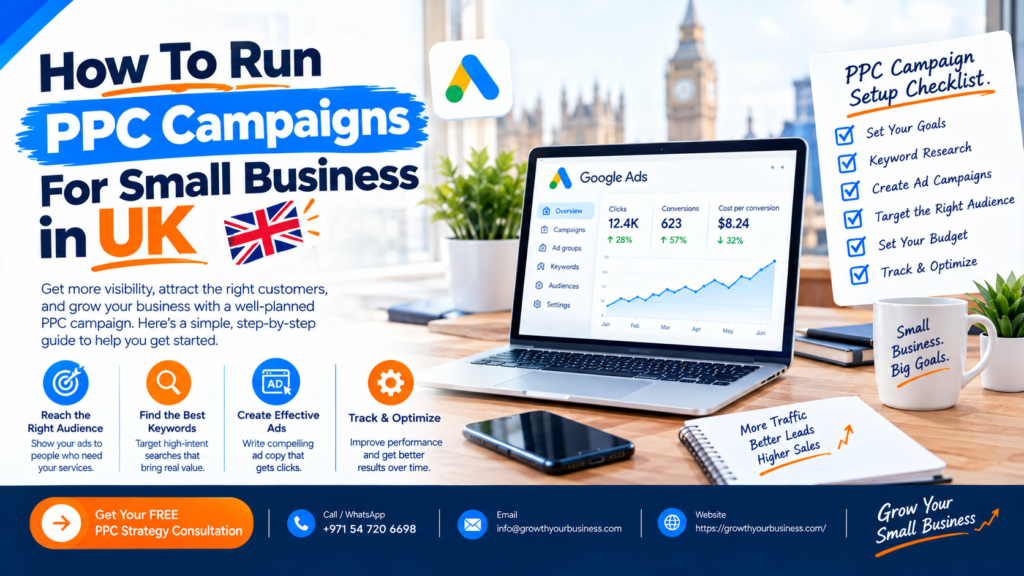
PPC campaigns for small business UK work best when you set one clear goal, pick the right platform (Google Ads for people searching, Meta Ads for people browsing), track conversions, target local high-intent keywords and start with £10 to £30 per day
Updated October 2026 by the Growth Your Business team. We manage Google Ads and Meta Ads campaigns for service businesses and e-commerce brands.
Why Do PPC Campaigns for Small Business Work in the UK?
PPC (pay-per-click) means you pay only when someone clicks your ad. For a small business, that makes it one of the few channels where you can:
- Appear in front of buyers today, not in 6 months like SEO
- Set a daily budget cap so you never overspend
- Target by town, postcode or radius, ideal for local service businesses
- Track exactly which pound brought which lead
If you’d rather have specialists handle it, see our PPC agency services.
Which PPC Platform Should You Use?
| Platform | Best for | Intent level |
|---|---|---|
| Google Search Ads | Plumbers, solicitors, agencies, clinics, anyone people search for | High: people are actively looking |
| Google Shopping / Performance Max | E-commerce stores | High |
| Meta Ads (Facebook and Instagram) | Visual products, offers, lead generation | Medium: interruption-based |
| TikTok Ads | Younger audiences, e-commerce, viral creative | Medium |
| LinkedIn Ads | B2B services | Medium, but expensive |
| Microsoft (Bing) Ads | Older, professional audiences, often cheaper clicks | High |
Our recommendation: Start with Google Search Ads. Add Meta Ads for retargeting once you have website visitors.
Step 1: What Goal Should Your PPC Campaign Have?
Pick one primary goal: leads, sales or calls. Then put a number on it.
Example: “15 enquiries per month at under £25 each.”
Without a number, you can’t tell whether your campaign is working.
Step 2: How Much Should a UK Small Business Spend on PPC?
There’s no minimum spend, but your budget decides how fast you collect data.
| Monthly ad spend | What to expect |
|---|---|
| £300 to £600 | Testing one service in one area. Slow learning. |
| £600 to £1,500 | Enough data to optimise 1 to 2 campaigns |
| £1,500+ | Room to scale and test several campaigns |
Cost per click varies hugely by industry. Legal, finance and home-improvement keywords usually cost far more than hospitality or retail, so check Google Keyword Planner for your exact terms first. Add 20% VAT to your calculations if you’re VAT-registered and can’t reclaim it on ad spend.
Step 3: How Do You Set Up Conversion Tracking in the UK?
Tracking tells Google and Meta which clicks turn into customers. Without it, automated bidding is guessing.
Track form submissions, phone call clicks, WhatsApp or chat clicks, and purchases or bookings. The right setup usually combines:
- GA4 setup for accurate website analytics
- Google Tag Manager setup to fire your conversion tags correctly
- Meta Conversions API to recover conversions lost to browser tracking limits
- Server-side tracking for more reliable data as cookies decline
UK compliance note: Under UK GDPR and PECR, you need a cookie consent banner before firing advertising tags. Google also expects Consent Mode v2 for ad personalisation and measurement in the UK and EEA. Set this up through your cookie plugin and Tag Manager.
Step 4: How Do You Choose Keywords for UK Local Searches?
Focus on buying intent and location:
- High-intent phrases: “emergency plumber Manchester,” “accountant for small business near me,” “PPC agency London”
- Negative keywords: add “free,” “jobs,” “course,” “DIY,” “salary” to block wasted clicks
- Match types: start with phrase and exact match, and use broad match only with strong conversion data
- Tight ad groups: 5 to 15 closely related keywords per group
Use UK spelling and local terms in your ads (for example “solicitor” not “lawyer”).
Step 5: How Do You Write PPC Ads That Get Clicks?
A strong ad has:
- The keyword in the headline (“PPC Management for UK Small Businesses”)
- A clear benefit (“More Leads, Lower Cost Per Click”)
- Proof (“Rated 5 Stars by 40+ UK Clients”)
- An offer and call to action (“Get Your Free Ad Audit Today”)
Add assets such as sitelinks, call button, location and callouts to make your ad bigger and improve click-through rate. Follow the ASA/CAP Code: no misleading claims, and any “best” or “guaranteed” statement needs evidence.
Step 6: Why Do You Need a Dedicated Landing Page?
Sending ad traffic to your homepage is the most common reason small business PPC fails. A good landing page:
- Matches the ad’s promise and keyword exactly
- Loads in under 3 seconds on mobile
- Has one clear call to action (call, form or WhatsApp)
- Shows reviews, trust badges and your service area
- Has a short form (name, phone, email, short message)
Once traffic is flowing, conversion rate optimisation (CRO) turns more of those visitors into enquiries without increasing your ad spend.
Step 7: How Do You Optimise a PPC Campaign?
The best PPC campaigns for small business are reviewed weekly, not daily.
- Search terms report: add negative keywords for irrelevant searches
- Cost per lead: pause keywords spending without converting
- Ad performance: keep the best headlines, replace the weakest
- Device and location: reduce bids where leads are poor
- Ad schedule: show ads when your phone is answered
Make changes gradually. Changing everything daily stops the algorithm from learning. To see all your numbers in one place, a Looker Studio dashboard can combine Google Ads, Meta Ads and GA4 into one live report.
Common PPC Mistakes UK Small Businesses Make
- No conversion tracking
- Targeting all of the UK instead of the areas they serve
- Sending traffic to the homepage
- No negative keywords
- Not answering calls or form enquiries quickly
- Judging results after 3 days instead of 3 to 4 weeks
- Mixing too many services in one campaign
Should You Run PPC Yourself or Hire an Agency?
| DIY | PPC agency | |
|---|---|---|
| Cost | Your time | Management fee plus ad spend |
| Learning curve | Steep | None |
| Best for | Budgets under £500/month, with time to learn | Budgets of £1,000+/month, or no time to manage |
A good agency pays for itself by reducing wasted spend. Look for transparent reporting, no long lock-in contracts, and ownership of your ad account. You can learn more about how we work on our About Us page.
Frequently Asked Questions
How much does PPC cost for a small business in the UK?
PPC campaigns for small business typically cost £300 to £1,500 per month.
How long does PPC take to work?
Ads can bring clicks within 24 hours of approval. Expect 3 to 4 weeks of data before judging performance, and 2 to 3 months to fully optimise.
Is PPC better than SEO for a small business?
PPC gives immediate results but stops when you stop paying. SEO takes months but builds lasting traffic. Most small businesses get the best results using both, and our SEO agency team can help you plan the combination.
Can I target only my local area with PPC?
Yes. Both Google Ads and Meta Ads let you target by city, postcode or radius around your business.
What is a good conversion rate for PPC?
Many service-business landing pages convert between 3% and 10%, depending on industry and offer. Improve yours by tightening keywords and landing page relevance.
Do I need a website to run PPC?
Strictly no, but a fast, focused landing page greatly improves results. Meta lead forms and Google Business Profile calls are alternatives for very small businesses.
Is Google Ads or Facebook Ads better for small businesses?
Google Ads suits businesses people search for. Facebook and Instagram Ads suit visual products, offers and retargeting. Many businesses start with Google and add Meta later.
Final Thoughts
PPC campaigns for small business work in the UK when they’re built on the basics: a clear goal, accurate tracking, local high-intent keywords, a focused landing page and steady optimisation. Skip any of those and the budget disappears fast.
Want a PPC Campaign That Actually Brings Leads?
At Growth Your Business, We build and manage PPC campaigns for small business owners across the UK small businesses, focused on qualified leads, not clicks.
Get Your Free PPC Audit →
Prefer to talk first? Contact our team.