
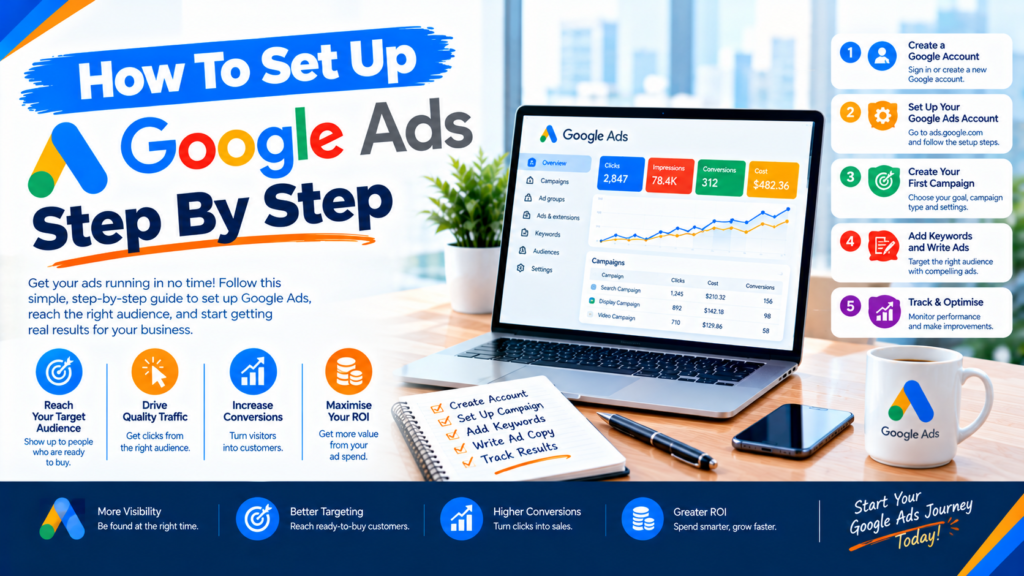
How to Set Up Google Ads Step by Step (2026 Beginner Guide)
How to set up Google Ads step by step: define your goal, create your account, install conversion tracking, choose a campaign type, research keywords, write your ads, then set a budget and bidding strategy. A basic Search campaign takes roughly 1 to 2 hours to build. The two biggest budget-savers are accurate conversion tracking and tight keyword targeting.
Updated October 2026 by the Growth Your Business team. We manage Google Ads and Meta Ads campaigns for service businesses and e-commerce brands.
Quick Summary: The 7 Steps
| Step | What to do |
|---|---|
| 1 | Define your goal and target numbers |
| 2 | Create your account and set up conversion tracking |
| 3 | Choose the right campaign type |
| 4 | Research keywords |
| 5 | Write your ad copy |
| 6 | Set your budget and bidding strategy |
| 7 | Launch, test and optimise |
Step 1: What Goal Should You Set Before Starting Google Ads?
Choose one primary goal before you open the platform. It decides your campaign type, bidding strategy and how you measure success.
- Leads: phone calls, form fills, bookings
- Sales: online purchases
- Traffic: visitors to your website
- Brand awareness: reach and recognition
Pro tip: Turn the goal into a number, such as “20 qualified leads per month at under £30 each.” Without a number, you can’t tell whether your campaign is working. If you want help setting realistic targets, our PPC agency team can define them with you before you spend anything.
Step 2: How Do You Create a Google Ads Account and Set Up Tracking?
Create the account:
- Go to ads.google.com and sign in with your Google account.
- Choose your main advertising goal.
- Enter your business name and website.
- Add your billing information. Ads can’t run without it.
- Link your Google Analytics account.
Tip: Google often pushes beginners into a simplified “Smart mode” with limited control. Look for the option to switch to Expert Mode so you can choose your own campaign type, keywords and settings.
Set up conversion tracking (do not skip this):
Conversion tracking tells Google which clicks turn into leads or sales. Without it, automated bidding has nothing to learn from, and you can’t tell which keywords make money. Track:
- Form submissions
- Phone call clicks
- WhatsApp or chat button clicks
- Purchases or booking confirmations
The cleanest setup combines Google Tag Manager to fire your conversion tags and GA4 for website analytics. For more reliable data as browser tracking declines, consider server-side tracking. After setup, confirm each conversion fires correctly using Google Tag Assistant.
UK note: Under UK GDPR and PECR you need cookie consent before firing advertising tags, and Google expects Consent Mode v2 for measurement in the UK and EEA. See the ICO’s guidance on cookies.
Step 3: Which Google Ads Campaign Type Should You Choose?
| Campaign type | Best for | Beginner-friendly? |
|---|---|---|
| Search | Capturing people actively searching for your service | Yes, start here |
| Performance Max | Automated reach across all Google channels | After you have conversion data |
| Shopping | E-commerce product listings | Yes, for online stores |
| Display | Retargeting and awareness | Moderate |
| Video (YouTube) | Awareness and storytelling | Moderate |
| Demand Gen | Visual ads on YouTube, Discover and Gmail | Moderate |
Our recommendation: Start with Search campaigns. Once you have steady conversions, test Performance Max alongside them.
Step 4: How Do You Research Google Ads Keywords?
Use Google Keyword Planner, Semrush or Ahrefs to find keywords with buying intent.
- Use high-intent phrases like “hire a plumber near me” or “PPC management company.”
- Add negative keywords such as “free,” “jobs,” “course” and “DIY” to block wasted clicks.
- Group keywords into tight ad groups (5 to 15 closely related terms each) to improve Quality Score.
- Match keywords to your landing page. If someone searches “Google Ads management,” the page they land on should be about exactly that.
Keyword research also feeds your organic strategy. If you want paid and organic working together, see our SEO agency service.
Step 5: How Do You Write Google Ads Copy That Gets Clicks?
Responsive search ads let you add up to 15 headlines and 4 descriptions, and Google tests the combinations.
- Headline 1: your main keyword (e.g., “Affordable PPC Management UK”)
- Headline 2: a clear benefit (e.g., “Generate More Leads Today”)
- Headline 3: proof or an offer (e.g., “Free Account Audit”)
- Description: value, urgency and a call to action
Add assets (formerly called extensions) such as sitelinks, callouts and a call button to make your ad larger and more clickable. Keep claims honest, since misleading “best” or “guaranteed” statements can break advertising rules.
Your ad should also lead to a page built to convert. Our conversion rate optimisation service improves landing pages so more of your clicks become enquiries.
Step 6: How Do You Set a Google Ads Budget and Bidding Strategy?
Pick a bidding strategy that matches your goal:
- Maximize Conversions: for leads and sales
- Target CPA: for a steady cost per acquisition
- Maximize Conversion Value / Target ROAS: for e-commerce
- Manual CPC: for full control over bids
Google Ads has no minimum spend. Many small businesses start with around £20 to £50 per day, review performance after 2 to 4 weeks, and scale what works. Remember to add 20% VAT to your calculations if you can’t reclaim it.
Step 7: How Do You Launch, Test and Optimise Google Ads?
After launch, check these daily for the first two weeks, then weekly:
- CTR (click-through rate), CPC (cost per click) and conversion rate
- The search terms report, to add negative keywords
- Underperforming ads and keywords, to pause them
- A/B tests on headlines and landing pages
Make changes gradually. Changing everything daily stops the algorithm from learning. To see all your numbers in one place, a Looker Studio dashboard can combine Google Ads, Meta Ads and GA4 in a single live report.
Common Google Ads Setup Mistakes to Avoid
- Skipping conversion tracking
- Staying in Smart mode and losing control of targeting
- Using broad match with no negative keywords
- Sending all traffic to the homepage instead of a dedicated landing page
- Changing settings daily before the algorithm has time to learn
- Targeting too wide an area instead of where you actually serve customers
- Judging results after 3 days instead of 3 to 4 weeks
Frequently Asked Questions
How much does it cost to set up Google Ads?
Creating an account is free. You only pay when someone clicks your ad. Many small businesses start with £20 to £50 per day, and your real costs depend on your industry and keyword competition.
How long does it take to set up Google Ads?
A basic Search campaign takes about 1 to 2 hours to build. Allow extra time for conversion tracking and landing page preparation. Google also reviews ads, which usually takes around one business day.
Can I set up Google Ads without a website?
Technically yes, but it isn’t recommended. A dedicated landing page usually improves conversion rates significantly.
Which Google Ads campaign type is best for beginners?
Search campaigns. They show your ads to people already looking for your service, they’re easy to control and they give you clean data before you try automated campaign types.
How long does Google Ads take to work?
Ads can generate clicks within a day of approval. Expect 2 to 4 weeks of data before judging performance, since the algorithm needs time to learn.
Should I manage Google Ads myself or hire an agency?
With a small budget and time to learn, DIY is possible. If you spend a meaningful amount monthly or lack time, an agency usually pays for itself by reducing wasted spend. You can learn more about how we work on our About Us page.
What’s the difference between Google Ads and SEO?
Google Ads gives paid visibility immediately and stops when you stop paying. SEO builds organic rankings over months and keeps working long term. Most businesses benefit from using both.
Final Thoughts
Setting up Google Ads isn’t complicated, but the details decide whether you profit or burn budget. Get your goal, tracking, keywords and landing page right first, then optimise steadily. If you’d rather have specialists handle it, our team can build and manage the campaigns for you.
Ready to Launch Google Ads That Actually Convert?
At Growth Your Business, we set up and manage Google Ads and Meta Ads campaigns built around one metric: qualified leads and sales. Explore our PPC agency services or our Meta Ads agency.
Get Your Free Google Ads Audit →
Prefer to talk? Book a free 30-minute consultation or visit our contact page.