
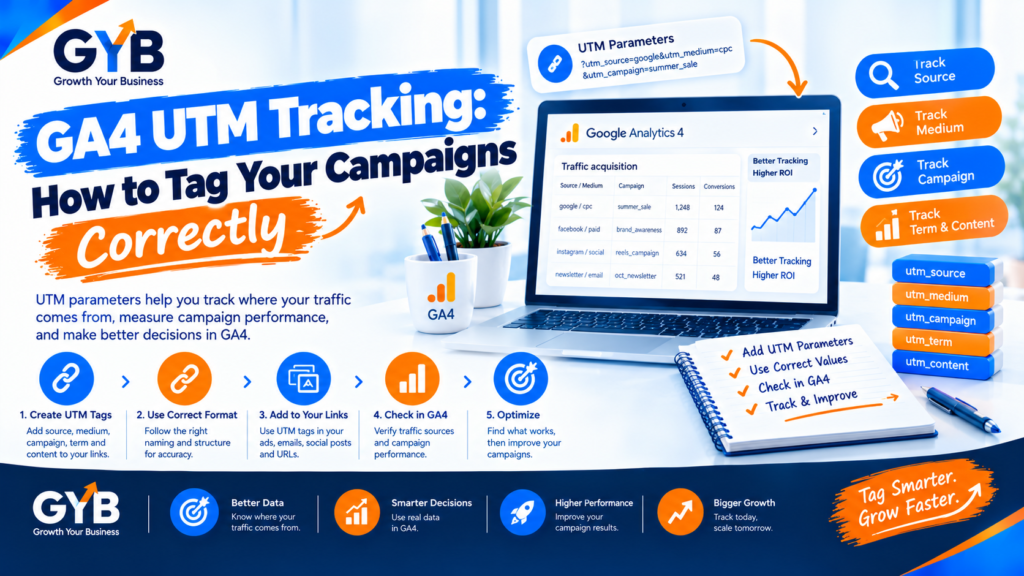
GA4 UTM Tracking: How to Tag Your Campaigns Correctly
GA4 UTM tracking works by adding tags to your campaign links, so Google Analytics 4 knows where each visit came from. Use three core tags: utm_source, utm_medium and utm_campaign. Keep them lowercase, match your medium to GA4’s channel rules and never tag internal links. Do that and your traffic stops disappearing into “Unassigned” or “Direct”.
Updated October 2026 by the Growth Your Business team. Growth Your Business is a performance advertising agency for UK and US businesses offering Google Ads, Meta Ads, conversion tracking and CRM integration.
Key takeaways
- UTM tags are short pieces of text added to a link that tell GA4 the source, medium and campaign.
- utm_medium matters most. GA4 uses it to sort traffic into channels such as Paid Search or Email.
- GA4 treats UTM values as case-sensitive, so
Emailandemailbecome two different sources. - For Google Ads, keep auto-tagging on and don’t override it with manual UTMs unless you need custom naming.
- Never tag internal links, because it overwrites the original source of the visit.
- AI can help you build and check tagged links, but you must click-test them and check GA4.
What are UTM parameters?
UTM parameters are labels added to the end of a URL. When someone clicks a tagged link, GA4 reads the labels and records where the visit came from.
| Parameter | What it answers | Example | Where it shows in GA4 |
|---|---|---|---|
utm_source |
Who sent the visit? | google, facebook, newsletter |
Session source |
utm_medium |
What kind of channel? | cpc, paid_social, email |
Session medium |
utm_campaign |
Which campaign? | 2026q4_meta_leadgen |
Session campaign |
utm_content |
Which ad or link? | video_a, button_top |
Session manual ad content |
utm_term |
Which keyword? (paid search) | ppc_agency |
Session manual term |
Treat the first three as required. If you tag only utm_source and skip utm_medium, GA4 can’t sort the visit into a channel.
An example of a tagged link:
https://growthyourbusiness.com/ppc-agency/?utm_source=facebook&utm_medium=paid_social&utm_campaign=2026q4_meta_leadgen&utm_content=video_aHow does GA4 read UTM tags and decide the channel?
GA4 combines source and medium and runs them through its Default Channel Group rules to decide whether a visit counts as Paid Search, Paid Social, Organic Social, Email, Referral and so on. If your medium doesn’t match any rule, the visit lands in Unassigned.
Use these values as a safe starting point:
| Channel you want | utm_source |
utm_medium |
|---|---|---|
| Paid search (Google Ads) | google |
cpc |
| Paid social (Meta) | facebook or instagram |
paid_social |
| Organic social post | linkedin |
social |
| Email newsletter | newsletter |
email |
| Partner or referral link | partnername |
referral |
Two mistakes to avoid:
- Medium =
socialon a paid ad. GA4 files it under Organic Social, not Paid Social. - Medium =
facebook(or any platform name). GA4 can’t match it to a channel, so it ends up in Unassigned.
Check the current definition of the default channel group in GA4 (Admin → Data display → Channel groups), because Google can update the rules.
What naming convention should you use?
A convention fixes problems before they start. Use these rules:
- Lowercase only. GA4 treats values as case-sensitive.
- No spaces. Use underscores (or hyphens), and pick one style.
- Use a fixed list of sources and mediums. Write them down in a shared sheet.
- Name campaigns with a pattern, for example:
year-quarter_platform_goal_offer. - Keep it short and readable. Others need to understand it in six months.
An example campaign name: 2026q4_google_leadgen_free-consultation.
How do you set up GA4 UTM tracking? (Step by step)
Step 1: Write your naming sheet
List your approved sources, mediums and a campaign pattern in one shared document.
Step 2: Build your tagged links
Use a spreadsheet or Google’s Campaign URL Builder. Add utm_source, utm_medium and utm_campaign to every external campaign link.
Step 3: Add the tags where your links live
Meta Ads: in your ad’s URL parameters field, you can use dynamic values:
utm_source=facebook&utm_medium=paid_social&utm_campaign={{campaign.name}}&utm_content={{ad.name}}Keep your campaign and ad names clean, because spaces and special characters will be encoded into the link.
Google Ads: leave auto-tagging on. It passes a click identifier (gclid) that GA4 can read when your accounts are linked, and it handles keywords more accurately than manual tags. Add manual UTMs only if you need custom naming, and test the result.
Email, social posts and partner links: tag every external link you control.
Step 4: Test every link
Click the link in a new tab, then open GA4’s Realtime report and check the traffic source and campaign. Also confirm the UTM tags are still in the address bar after any redirects, because some redirects strip them.
Step 5: Check your reports
Go to Reports → Acquisition → Traffic acquisition. Add Session source / medium and Session campaign as dimensions. Look for traffic in “Unassigned” or “Direct” that should be tagged.
Step 6: Pass UTMs into your CRM
Add hidden fields to your forms that capture utm_source, utm_medium and utm_campaign (many form tools, including WPForms, support this, depending on your plan). Then every lead in your CRM carries its source. That is how you see which ads bring paying customers, which our CRM integration service builds out fully.
How do you fix “Unassigned” traffic in GA4?
- Open Reports → Acquisition → Traffic acquisition and set the dimension to Session default channel group.
- Click Unassigned and add Session source / medium to see what’s in it.
- Look for mediums such as
facebook,paid-searchore-mail-blastthat don’t match GA4’s rules. - Fix the tags on new links with the right medium, and update your naming sheet. You can’t edit data that has already been recorded.
How do you use AI for UTM tagging, then verify by hand?
AI tools such as ChatGPT or Gemini are good at repetitive formatting, but they can’t see your analytics.
| Step | What AI can do | What you must check manually |
|---|---|---|
| Create your convention | Draft a naming sheet from your channels | Make sure the mediums match GA4’s channel rules |
| Build many links | Turn a table of campaigns into tagged URLs | Click-test each link and check Realtime |
| Check for errors | Flag uppercase, spaces and missing parameters in a list | Confirm no internal links are tagged |
| Explain reports | Describe what a dimension means | Compare GA4 channels with your ad platforms and CRM |
Sample prompt:
Here is my UTM naming rule: lowercase, underscores, medium values limited to cpc, paid_social, social, email and referral. Turn this table of campaigns into tagged URLs for [landing page], and flag anything that breaks the rule. Do not add personal data.
Never put names, email addresses or other personal data in UTM tags.
What are the common GA4 UTM mistakes?
- Tagging internal links, which overwrites the visit’s original source
- Mixing up source and medium
- Using different cases or spellings (
Facebook,facebook,fb) - Using medium values GA4 doesn’t recognize
- Stacking manual UTMs on top of Google Ads auto-tagging
- Skipping
utm_mediumand leaving traffic “(not set)” or in Unassigned - Redirects that strip the tags
- Tagging organic search or SEO links
- Keeping the convention in one person’s head instead of a shared document
UK and US notes
- Personal data: never put personal data in UTM tags in either market.
- Consent: GA4 only collects data where your consent setup allows it. In the UK and EU that generally means consent under UK GDPR and PECR. In the US, state laws vary. This is general information, not legal advice.
- Currency and language: use the same naming rules across your UK and US campaigns, so you can compare them.
Frequently asked questions
What are UTM parameters?
UTM parameters are short labels added to a URL, such as source, medium and campaign. When someone clicks the link, Google Analytics reads the labels and records where the visit came from. They only work on links you control.
Which UTM parameters are required in GA4?
Use utm_source, utm_medium and utm_campaign on every campaign link. If you skip the medium, GA4 can’t sort the visit into a channel. The content and term parameters are optional extras for ads and keywords.
Are UTM parameters case-sensitive in GA4?
Yes. GA4 treats UTM values as case-sensitive, so Email, email and EMAIL appear as three different sources. Use lowercase for everything and keep a shared naming sheet.
Why is my traffic showing as Unassigned in GA4?
Usually your utm_medium doesn’t match one of GA4’s default channel rules. For example, “facebook” or “e-mail-blast” won’t match, while “paid_social” and “email” will. Fix the tags on new links.
Should I use UTMs with Google Ads?
Usually no. Keep auto-tagging on and link Google Ads to GA4. If you add UTMs as well, one set can override the other. Use manual UTMs only if you need custom campaign names, and test the result.
Can I use UTM parameters on internal links?
No. Tagging internal links makes GA4 start a new attribution for the visit and overwrites the original source. Use UTMs only on external links to your site.
Do UTM parameters affect SEO?
They don’t change your rankings, because search engines ignore tracking parameters for ranking. But they can create duplicate URLs, so keep canonical tags in place (Rank Math adds them by default) and tag only external campaign links.
How do I see UTM data in GA4?
Go to Reports, then Acquisition, then Traffic acquisition. Add Session source / medium and Session campaign as dimensions. You can also see them in Explorations and Looker Studio.
Final thoughts
GA4 UTM tracking isn’t complicated, but it only works when everyone follows the same rules. Agree on a naming sheet, tag every external link, leave Google Ads on auto-tagging and test before you launch. The payoff is simple: every lead and sale traced back to the campaign that earned it.
Sources
- XML Schemata: UTM Parameters Explained: A Practical Tracking Guide
- ACCS: UTM glossary
- Branded Agency: UTM Naming Conventions: The Audit-Ready GA4 Playbook
- Shero Commerce: How to Fix Shopify UTM Tracking
- Add a link to Google’s official Analytics Help article on collecting campaign data with custom URLs (search “campaign URL builder” in Google Analytics Help and paste the URL)
Want Your Reports to Show the Real Source of Every Lead?
Growth Your Business sets up and audits GA4, UTM tracking and CRM reporting, so you can see which campaigns bring leads and sales. See our GA4 setup service, our Looker Studio dashboards and our PPC agency, or learn about us.
Prefer to talk first? Get a Free Consultation, or Book a Free 30-Minute Call, or Message us on WhatsApp or visit our Contact page.