
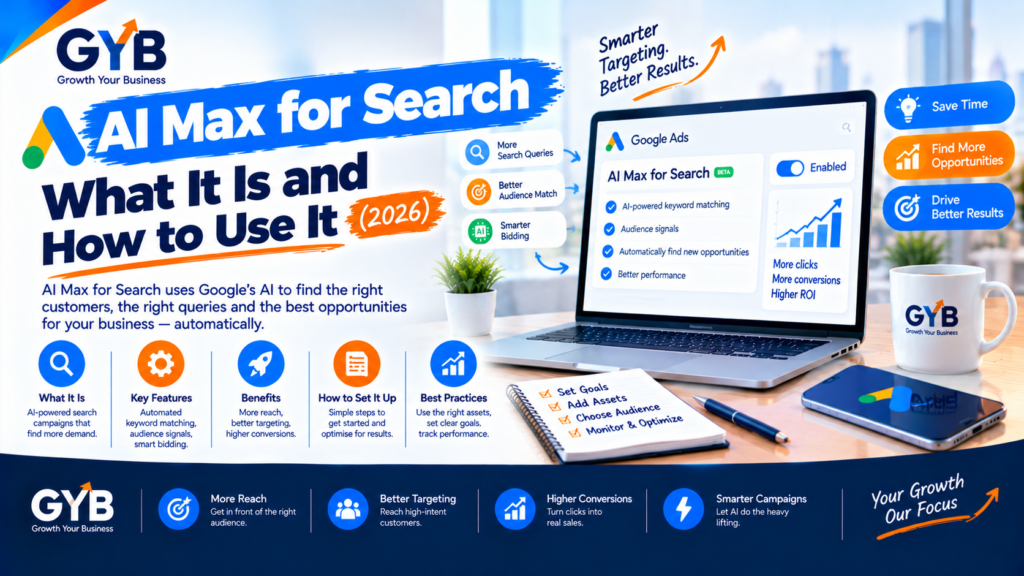
AI Max for Search: What It Is and How to Use It (2026)
AI Max for Search is a set of Google AI features you switch on inside an existing Search campaign, not a new campaign type. It adds three things: search term matching beyond your keywords, AI-written ad text and optional landing-page selection. Google is now moving older setups into it, so test it deliberately, with experiments, tight controls and manual checks.
Updated October 2026 by the Growth Your Business team. Growth Your Business is a performance advertising agency for UK and US businesses offering Google Ads, Meta Ads, conversion tracking and CRM integration.
Key takeaways
- AI Max is a layer on top of Search campaigns. You keep your campaign, budget and (if you choose) your keywords.
- It has three parts: search term matching, text customization and final URL expansion. Each can be controlled separately.
- Google is retiring Dynamic Search Ads and upgrading older settings into AI Max.
- Results vary, so test it with an experiment on one campaign before you roll it out.
- AI can help you set it up and review it, but a person must check the search terms, the generated ad text and the landing pages.
What is AI Max for Search?
AI Max for Search is an optimization layer for existing Google Ads Search campaigns. You turn it on in campaign settings, and it adds AI-driven features to the campaign you already run. It launched in beta in May 2025 and is now a standard part of Google Ads.
| Feature | What it does | Your control |
|---|---|---|
| Search term matching | Uses broad match and “keywordless” technology to show your ads on searches beyond your keyword list | Negative keywords, brand controls, location controls |
| Text customization | Generates and adjusts headlines and descriptions from your landing pages, ads and keywords (this was called automatically created assets) | Review and remove generated assets; brand exclusions |
| Final URL expansion | Lets Google send people to a different page on your site if it thinks it fits the search better | URL exclusions and inclusions; can be switched off |
Two details matter in practice:
- Final URL expansion needs text customization. If you turn off text customization, final URL expansion turns off too.
- Search term matching does not work with manual CPC bidding. AI Max needs automated bidding signals.
How is AI Max different from Performance Max?
Performance Max runs across all Google channels, while AI Max only serves on Search text ads. AI Max also keeps Search-specific controls and shows search terms in your reports, labeled with an “AI Max” source. Think of Performance Max as a different campaign type, and AI Max as an upgrade to the Search campaign you already have.
Why is Google moving advertisers to AI Max?
Google has been replacing older manual and rule-based tools with AI-led ones, and AI Max is the next step. In its April announcement, Google said Dynamic Search Ads (DSA), automatically created assets and campaign-level broad match would be upgraded to AI Max starting in September 2026, and that new DSA campaigns could no longer be created.
| If you used… | It becomes… |
|---|---|
| Dynamic Search Ads | AI Max with all three features on, and your legacy URL controls kept |
| Automatically created assets | AI Max with search term matching and text customization on |
| Campaign-level broad match | AI Max with search term matching on |
Check your timing. Google’s announcement said the upgrades should finish by the end of September, but at least one later report says the forced upgrade of existing DSA campaigns moved to February 2027. Look for notices inside your Google Ads account, and don’t rely on a date from a blog (including this one).
Our guide to what to check when Dynamic Search Ads are replaced is coming soon. (Link to that post once it’s published.)
Should you turn AI Max on?
It depends on your tracking, your budget and how much control you need.
| Your situation | Suggested approach |
|---|---|
| Lead-gen business with reliable conversion tracking | Test it in an experiment on one campaign |
| Tracking is missing or inaccurate | Fix tracking first (GA4, Tag Manager, CRM). AI Max learns from the conversions you report |
| Very low conversion volume or a tiny budget | Be careful. Automation needs data to learn from |
| Regulated or claim-sensitive business (finance, health, legal) | Use strict controls and review every generated headline |
| Ecommerce with a product feed | Compare against Shopping and Performance Max before switching |
What does the evidence say? Google reports conversion gains from the full feature set, while an independent test of more than 250 retail campaigns (published November 2025) reported lower return on ad spend than traditional match types. Neither result guarantees what will happen in your account. That’s why we recommend an experiment, not a leap of faith.
How do you set up AI Max for Search? (Step by step)
- Check your foundations. Conversion tracking must record real leads or sales. Use a Smart Bidding strategy, because search term matching doesn’t work with manual CPC. If your tracking needs work, see our GA4 setup and Google Tag Manager setup services.
- Pick one campaign. Choose one with steady conversions, not your whole account.
- Create an experiment. Use Google Ads Experiments to compare AI Max against your current setup, and let it run long enough to collect meaningful conversions.
- Switch on AI Max in the campaign settings (the exact location of the toggle can change, so check your account).
- Set your controls:
- Brand controls (brands to include or exclude)
- Location settings (decide whether to target people physically in an area or those interested in it)
- URL exclusions (pages you never want ads sent to, such as checkout, login, careers, privacy and thin pages)
- Negative keywords (keep adding them as you review search terms)
- Start with search term matching and text customization. Add final URL expansion later, once you trust the first two. If both text customization and final URL expansion are on, pinned headlines are not respected. If you need pinning, leave final URL expansion and URL inclusions off.
- Review weekly. Look at search terms, generated text and where visitors land.
How do you use AI to run AI Max, then verify by hand?
AI tools such as ChatGPT or Gemini can speed up the setup and review. But they work from what you give them and can be confidently wrong, so every step needs a human check.
| Step | What AI can do | What you must check manually |
|---|---|---|
| Choose the campaign to test | Rank campaigns from an exported, aggregated report | Confirm conversion volume, impression share and search terms in Google Ads |
| Write guardrails | Draft brand-exclusion lists and URL exclusions from your sitemap | Open each URL, and confirm each term is right for your business |
| Review generated headlines | Check tone and flag risky claims against your brand rules | Read every generated asset. Check policy and advertising rules |
| Analyze search terms | Group terms by intent from an export | Confirm intent in Keyword Planner and the live results, then add negatives |
| Judge the experiment | Summarize an exported results table | Verify conversions in GA4 and lead quality in your CRM |
Sample prompt for reviewing search terms (paste aggregated data only, never personal data):
I run a [type of business] serving [area]. Below is an export of search terms from a Google Ads campaign with AI Max turned on. Group them into relevant, borderline and irrelevant. For the irrelevant ones, suggest negative keywords and explain why. Do not invent search volumes.
Then check the borderline terms yourself. The same applies to ad copy: let AI draft ideas, then compare them with the real search terms people used and update the ads. Our CRM integration work goes further and ties these queries to the leads that actually become customers.
What should you check manually every week?
- Search terms report: are the new terms relevant? Add negatives for the rest.
- Generated headlines and descriptions: any claim you can’t prove, wrong prices or off-brand wording?
- Landing pages: where is final URL expansion sending visitors? Are those pages built to convert?
- Conversions: do GA4, Google Ads and your CRM roughly agree?
- Lead quality: are the extra leads real customers, or low-quality enquiries?
- Costs: is cost per lead or cost per sale holding up compared with your control campaign?
UK and US notes
- Advertising claims: in the UK, generated ad text must follow the ASA/CAP Code. In the US, the FTC’s rules on truthful advertising apply. AI-written copy is still your responsibility.
- Regulated sectors: finance, health and legal advertisers should review every generated asset and keep tight controls.
- Consent and tracking: UK GDPR and PECR in the UK, and state privacy laws in the US, affect what you can measure. Set up consent properly. This is general information, not legal advice.
- Language and currency: make sure ads and landing pages use the right spelling and pricing for each market.
What are the common AI Max mistakes?
- Switching it on across the whole account without an experiment
- Running it with broken or incomplete conversion tracking
- Leaving final URL expansion on without any URL exclusions
- Never reading the generated headlines
- Forgetting that pinned headlines aren’t respected when text customization and final URL expansion are both on
- Judging it after a few days instead of waiting for enough conversions
- Looking at conversions only, and ignoring lead quality
AI Max vs Performance Max vs standard Search
| Standard Search | AI Max for Search | Performance Max | |
|---|---|---|---|
| Where ads show | Search | Search | Search and other Google channels |
| Keywords | Your list | Your list plus expansion | Mostly automated |
| Search term visibility | Full | Yes, labeled “AI Max” | Limited |
| Landing page | Fixed | Fixed, or AI chooses if you allow it | Chosen by AI |
| Control level | Highest | High, with automation | Lower |
Does Microsoft Advertising have its own AI Max?
Yes, Microsoft has a separate AI Max setting. Reports say it was turned on for advertiser accounts worldwide in August 2026. Treat it as a separate checklist item from Google’s, and review its settings and search terms too.
Frequently asked questions
What is AI Max for Search?
AI Max for Search is a set of Google AI features you turn on inside an existing Search campaign. It adds search term matching beyond your keywords, AI-generated ad text and optional landing-page selection. It’s not a separate campaign type.
Is AI Max the same as Performance Max?
No. Performance Max runs across Google’s channels, while AI Max only serves on Search text ads and keeps Search-specific controls. AI Max upgrades the Search campaign you already have. Performance Max is a different campaign type.
Does AI Max replace Dynamic Search Ads?
Yes. Google is retiring Dynamic Search Ads and upgrading legacy setups into AI Max, and new DSA campaigns can no longer be created. Check your account notices for the timing that applies to your existing campaigns.
Do I have to use AI Max?
Not for every campaign, but older setups such as DSA, automatically created assets and campaign-level broad match are being upgraded to it. Testing on your own terms gives you more control than waiting for an automatic upgrade.
Does AI Max work with manual CPC?
No. Search term matching does not work with manual CPC bidding, because AI Max needs the signals from automated bidding. Use a Smart Bidding strategy with reliable conversion tracking.
Can I control which pages AI Max sends people to?
Yes. With final URL expansion you can add URL exclusions to keep ads away from pages such as checkout, login or careers. You can also turn final URL expansion off and use fixed landing pages.
Does AI Max respect pinned headlines?
Not when text customization and final URL expansion are both on. If you need pinned headlines for legal or brand reasons, leave final URL expansion and URL inclusions off.
How do I know if AI Max is working?
Run an experiment against your current setup, then compare conversions and cost per lead in Google Ads, GA4 and your CRM. Check lead quality, not just volume, and review the search terms report every week.
Final thoughts
AI Max for Search isn’t something to fear or to trust blindly. It’s an automation layer that works best with accurate tracking, clear controls and regular human review. Test it on one campaign, keep the guardrails tight, and let real leads and sales decide whether it stays.
Sources
- Google Ads Help: Optimize Google Ads with AI Max for Search campaigns
- Google Ads Help: AI Max for Search campaigns FAQ
- Google: We’re upgrading Dynamic Search Ads to AI Max
- PPC Land: Google ends Dynamic Search Ads, upgrades to AI Max in September
Not Sure Whether AI Max Is Helping or Hurting Your Google Ads?
Growth Your Business audits Google Ads accounts, tracking and landing pages, then helps you test AI Max safely, with controls and reporting you can trust. See our PPC agency and Google PPC management services, or learn about us.
Prefer to talk first? Get a Free Consultation, or Book a Free 30-Minute Call, or Message us on WhatsApp or visit our Contact page.