
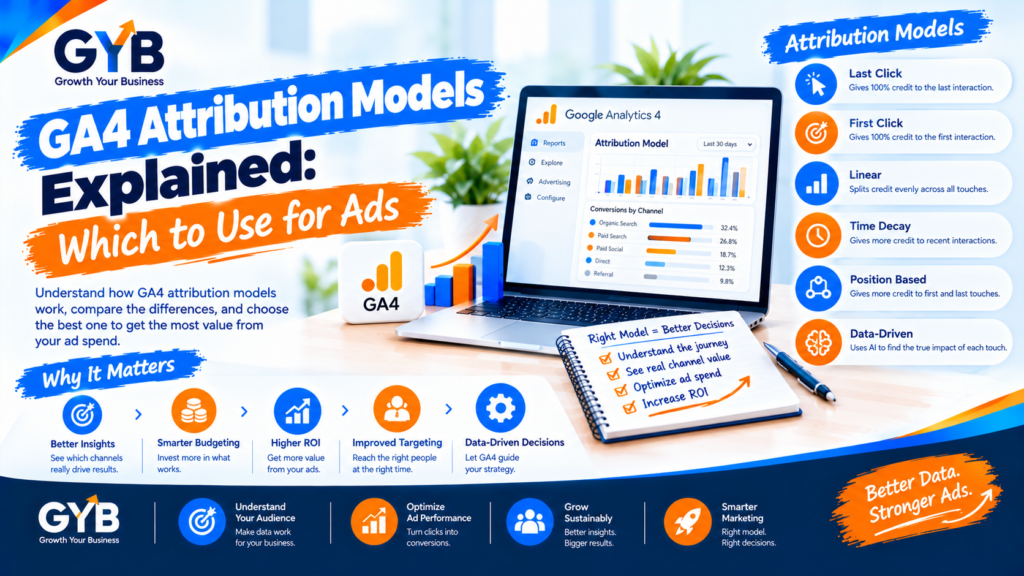
GA4 Attribution Models Explained: Which to Use for Ads
GA4 attribution models decide which marketing touchpoint gets credit for a conversion. GA4 now defaults to data-driven attribution, which splits credit across the touchpoints on a customer’s path, and it also offers last-click options. Use data-driven as your main view, compare it with last click, and check both against your CRM.
Updated October 2026 by the Growth Your Business team. Growth Your Business is a performance advertising agency for UK and US businesses offering Google Ads, Meta Ads, conversion tracking and CRM integration.
Key takeaways
- An attribution model is a rule for giving credit to the channels a customer touched before converting.
- Data-driven attribution is GA4’s default. It spreads credit across the path using your account’s data.
- Last-click options give all the credit to one final touchpoint. They’re simpler but ignore earlier steps.
- Older models such as first click, linear and time decay are no longer available, even though many guides still list them.
- GA4, Google Ads and Meta will never match exactly, because they use different models and windows.
- Your CRM is the final check, because it shows real sales.
What is attribution, and why does it matter?
Customers rarely convert after one click. Imagine someone sees your Meta ad, later finds you through organic search, then clicks a Google ad and sends an enquiry. Which channel earned the lead?
| Model | How it shares the credit |
|---|---|
| Data-driven | Splits the credit across all three touchpoints, in different amounts |
| Paid and organic last click | Gives all the credit to the last non-direct click (the Google ad) |
| Google paid channels last click | Gives all the credit to the last Google Ads click (the Google ad) |
The model you choose changes which channels look good in your reports, and so where you put your budget.
Which attribution models does GA4 offer?
GA4 simplified its options in recent years. Today you’ll typically see:
| Model | What it does | Best for |
|---|---|---|
| Data-driven attribution (default) | Uses your own conversion data to estimate each touchpoint’s contribution | Accounts with several channels and enough conversions |
| Paid and organic last click | 100% credit to the last non-direct channel | Simple, easy-to-explain reporting |
| Google paid channels last click | 100% credit to the last Google Ads click (falls back to paid and organic last click if there was none) | Teams that rely almost entirely on Google Ads |
A warning about old guides: first click, linear, time decay and position-based were removed from GA4 in 2023. If a guide still tells you to pick one of those, it’s out of date. The exact list in your property is shown in your attribution settings, so check it there.
How does data-driven attribution work?
Data-driven attribution looks at the paths of people who converted and those who didn’t, and uses that to estimate how much each touchpoint contributed. Credit is shared in fractions, such as 0.4 of a conversion to one channel and 0.6 to another.
It has two limits to keep in mind:
- It is less transparent than a simple rule, so it’s harder to explain to a client or boss.
- It works from incomplete data. Blocked tracking, declined consent and offline sales all fall outside what it can see.
Which attribution model should you use?
| Your situation | Suggested approach |
|---|---|
| Several channels (Google, Meta, email, organic) | Use data-driven as your main view, and compare it with last click |
| Very low traffic or few conversions | Start with paid and organic last click for clarity. Data-driven is less reliable with little data |
| You need to explain every number to a client | Use last click, and say clearly what it ignores |
| Almost all spend is on Google Ads | Google paid channels last click can be reasonable, but compare it with others |
| Lead-gen business with a CRM | Use GA4 attribution as a guide, then judge channels by leads that became customers |
A simple rule: don’t rely on one model. Compare data-driven with last click every month, and notice which channels gain or lose credit.
How do you check and change attribution settings in GA4?
- Open Admin → Attribution settings (in some properties it’s under Data display).
- Choose your Reporting attribution model.
- Set your lookback windows, which control how far back GA4 looks for touchpoints. Windows differ for acquisition events and for other events (typically up to 90 days for the longer option).
- Save. Remember that changes to the lookback window apply to future data only.
- Compare models in Advertising → Attribution → Model comparison, which shows how conversions shift when you switch models.
Channels that gain credit when you move from last click to data-driven were helping earlier in the journey, even if last-click reports didn’t show it.
Why do GA4 and Google Ads show different numbers?
They aren’t broken. They measure differently:
- Different models. Google Ads and GA4 can use different attribution rules.
- Different windows. Each has its own lookback or conversion window.
- Different counting and dates. Platforms may count conversions by click date or by conversion date, and imported key events may not match a conversion that Google Ads counts natively.
- Meta uses its own rules too. Meta Ads Manager has its own attribution windows, set separately from GA4.
Two platforms can both be right for what they measure. For that reason, compare trends rather than expecting identical numbers, and use your CRM as the shared reference. Our guides to GA4 key events and GA4 UTM tracking help you keep the inputs clean, and our GA4 setup service covers the whole setup.
Why should you check attribution against your CRM?
Every attribution model works from tracked clicks and events. It can’t see a phone call that never got logged, a deal that closed three months later or a lead that turned out to be spam. Your CRM can.
- Capture the source, medium and campaign on every lead (see our UTM guide).
- Record which leads became customers and how much they were worth.
- Send real outcomes back to Google Ads so bidding learns from sales, not form fills. That’s what our CRM integration service does.
(Link to “Offline Conversion Tracking: Send CRM Sales to Google Ads” once published.)
How do you use AI to read attribution data, then verify by hand?
AI tools such as ChatGPT or Gemini can explain a Model comparison table and draft hypotheses, but they can’t judge whether your tracking is complete.
| Step | What AI can do | What you must check manually |
|---|---|---|
| Understand the models | Explain the differences in plain language | Check your own dropdown for the models actually available |
| Read a comparison | Summarize an exported Model comparison table | Confirm the numbers in GA4 and in the platforms |
| Suggest actions | Draft ideas (for example, “test more budget on the channel that gains credit”) | Treat them as hypotheses. Test with a small budget change before scaling |
| Reconcile platforms | List likely reasons GA4 and Ads differ | Compare windows, models and key event settings yourself |
| Check against reality | Draft a reconciliation template | Fill it with real CRM data on leads and sales |
Sample prompt (paste aggregated numbers only, never personal data):
Here is an exported table comparing conversions by channel under data-driven and paid-and-organic-last-click attribution in GA4: [paste]. Explain which channels gain or lose credit and suggest three hypotheses to test. Don’t claim certainty, and don’t invent numbers.
Then test any hypothesis with a small budget shift before making big changes.
What are the common attribution mistakes?
- Trusting one model as the truth
- Following outdated guides that list models GA4 no longer has
- Comparing platforms with different models and windows as if they should match
- Judging top-of-funnel channels by last click alone
- Moving budget on a model change without testing
- Ignoring offline sales and lead quality
- Forgetting consent loss, so some conversions are missing
- Using messy UTMs, so channels are misclassified before attribution even starts
UK and US notes
- Consent: in the UK and EU, declined consent means some visits and conversions aren’t observed, and GA4 may model part of the gap. In the US, state privacy laws vary. This is general information, not legal advice.
- Currency and sales cycles: compare UK and US campaigns using the same models and windows, and remember that longer sales cycles (common in B2B) need longer lookback windows.
Frequently asked questions
What are GA4 attribution models?
GA4 attribution models are rules for deciding which marketing touchpoints get credit for a conversion. GA4 defaults to data-driven attribution and also offers last-click options. They change how channels look in your advertising and conversion reports.
Which attribution model is the default in GA4?
Data-driven attribution has been GA4’s default since November 2023. It uses your account’s conversion data to share credit across the touchpoints on a customer’s path, instead of giving everything to the last click.
What is data-driven attribution?
Data-driven attribution is a machine-learning model that compares the paths of people who converted with those who didn’t, then estimates how much each touchpoint contributed. Credit is split in fractions, so several channels can share one conversion.
What is the difference between data-driven and last-click attribution?
Last click gives all the credit to the final touchpoint, so it’s simple but ignores earlier steps. Data-driven spreads credit across the whole path, which usually credits earlier channels more, but it’s harder to explain and needs good data.
Why do GA4 and Google Ads show different conversion numbers?
They use different attribution models, lookback windows and counting rules, and may report by different dates. Imported key events can also differ from conversions that Google Ads counts directly. Compare trends and use your CRM as the shared reference.
What is a lookback window in GA4?
A lookback window is how far back GA4 looks for touchpoints that could earn credit for a conversion. You set it in your attribution settings, and a change applies to future data only, not to past reports.
Can I still use first-click or linear attribution in GA4?
No. First click, linear, time decay and position-based models were removed in 2023, even though many guides still list them. To see how early touchpoints contribute, compare data-driven with last click, or analyze conversion paths.
Final thoughts
GA4 attribution models are a lens, not the truth. Use data-driven as your main view, compare it with last click, keep your tracking and UTMs clean, and check everything against real leads and sales in your CRM. Make budget decisions on tested evidence, not on a single report.
Sources
- Polar Analytics: GA4 Attribution Models: Three Options and One Ecommerce Problem
- The Ad Firm: GA4 attribution, lookback windows and reconciling with Google Ads
- Conversios: GA4 Attribution Models Explained
- Rule Analytics: Google Attribution: How to Access, Compare, and Improve
- WeltPixel: GA4 Attribution Models on Shopify
- Add a link to Google’s official Analytics Help article on attribution models (search “attribution models” in Google Analytics Help and paste the URL)
Want to See Which Campaigns Really Bring Customers?
Growth Your Business sets up GA4, UTM tracking and CRM reporting, so you can judge campaigns by leads and sales, not just clicks. See our GA4 setup, CRM integration and PPC agency services, or learn about us.
Prefer to talk first? Get a Free Consultation, or Book a Free 30-Minute Call, or Message us on WhatsApp or visit our Contact page.