
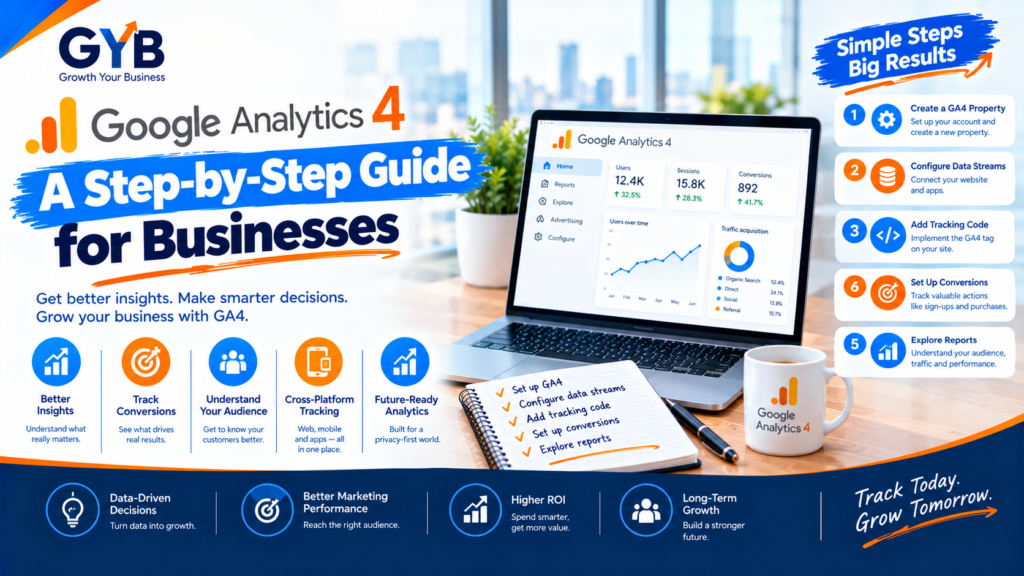
Google Analytics 4: A Step-by-Step Guide for Businesses
Google Analytics 4 (GA4) is Google’s free analytics platform, and setting it up correctly takes about 30 to 60 minutes. Create a property and web data stream, install the tag (ideally through Google Tag Manager), turn on Enhanced Measurement, raise data retention to 14 months, mark your key events, link Google Ads and Search Console, handle cookie consent, then test everything before you trust the numbers. A working tag isn’t the same as a correct setup, and the steps below cover the gaps most businesses miss.
Updated October 2026 by the Growth Your Business team. We set up GA4, Tag Manager and conversion tracking for businesses running Google Ads and Meta Ads.
Quick Summary: The 10-Step GA4 Setup
| Step | What to do |
|---|---|
| 1 | Create your GA4 account and property |
| 2 | Create a web data stream and copy the Measurement ID |
| 3 | Install the tag (Tag Manager, Site Kit or direct code) |
| 4 | Check Enhanced Measurement |
| 5 | Change data retention to 14 months |
| 6 | Mark your key events (conversions) |
| 7 | Exclude internal traffic |
| 8 | Link Google Ads and Search Console |
| 9 | Set up cookie consent and privacy |
| 10 | Test in Realtime, DebugView and Tag Assistant |
What Is Google Analytics 4, and How Is It Different?
GA4 measures everything as an event: a page view, a click, a form submission or a purchase. The older Universal Analytics used sessions and page views as its core, and it stopped collecting data in July 2023, so GA4 is now Google’s only analytics product.
Three differences matter for businesses:
- Key events replace goals. You mark the events that matter (a form submission, a call click, a purchase) as key events.
- Engagement is measured differently. Engagement rate replaces bounce rate as the main quality signal.
- Privacy and consent are built in. GA4 works with Google’s Consent Mode, so your setup needs to respect cookie choices.
What Do You Need Before You Start?
- A Google account with admin access to your website (or your developer’s help)
- A list of actions that matter to your business: form submissions, calls, WhatsApp clicks, bookings or purchases
- A cookie consent tool, if you serve visitors in the UK, EU or other regulated regions
- About an hour of uninterrupted time
Step 1: How Do You Create a GA4 Account and Property?
- Go to analytics.google.com and sign in.
- Click Admin, then Create → Account. Use your business name.
- Create a Property. Enter a name, your reporting time zone and your currency.
- Choose your industry and business size, and select your objectives.
Use one property per website. Keep your account structure simple, so you don’t end up with duplicate properties collecting overlapping data.
Step 2: How Do You Create a Web Data Stream?
- In your new property, choose Web as the platform.
- Enter your website URL and a stream name.
- Copy the Measurement ID. It starts with
G-followed by letters and numbers.
You will use this ID in the next step. Use the same ID everywhere, and never run two GA4 properties on one site by accident.
Step 3: How Do You Install the GA4 Tag?
There are three common routes:
| Method | Best for | Notes |
|---|---|---|
| Google Tag Manager | Most businesses, especially if you run ads | Easiest way to add events, version changes and keep tags organized |
| Site Kit by Google (WordPress plugin) | Simple WordPress sites | Sign in, choose your property and the tag is added for you |
| Direct code (gtag.js) | Developers or very simple sites | Paste the snippet in the head of every page |
Pick one method only. Adding the tag through both Tag Manager and a plugin or theme setting is the most common mistake, and it inflates your sessions and page views.
If you use Tag Manager, create a Google tag with your Measurement ID, set it to fire on all pages, then preview and publish your container.
Step 4: What Is Enhanced Measurement, and Should You Keep It On?
Enhanced Measurement automatically tracks common interactions without extra code, such as scrolls, outbound clicks, site search, file downloads and video engagement.
Find it in Admin → Data collection and modification → Data streams → your stream → Enhanced measurement. Keep it on, and review each toggle so you aren’t collecting events you will never use.
Step 5: How Do You Change GA4 Data Retention to 14 Months?
By default, event-level data is kept for 2 months. That limits detailed explorations over longer periods.
Go to Admin → Data settings → Data retention and change the event data retention to 14 months. Do this on day one, because data that has already expired can’t be recovered.
Step 6: How Do You Set Up GA4 Key Events (Conversions)?
Without key events, GA4 only counts visitors, not results.
- Decide which actions matter most. Start with 2 to 5, such as:
- Form submissions
- Phone call clicks
- WhatsApp or chat button clicks
- Booking confirmations
- Purchases
- Make sure GA4 receives an event for each action. Some are automatic (for example, purchases on a properly set up store), while others need a Tag Manager tag. See our guide to Google Tag Manager setup.
- Go to Admin → Data display → Events and toggle Mark as key event for each one.
Standard properties allow a limited number of key events (up to 30 at the time of writing), and a focused list keeps your reports clean.
Step 7: How Do You Exclude Internal Traffic?
Your own team visiting the site can distort the numbers, especially on a small site.
- In your data stream settings, open Configure tag settings → Define internal traffic and add your office IP address.
- Go to Admin → Data settings → Data filters, test the internal traffic filter, then activate it once you’re sure it works.
If your team works from changing home or mobile IP addresses, filter by IP won’t catch them all, so check your Realtime report occasionally.
Step 8: How Do You Link Google Ads and Search Console to GA4?
Go to Admin → Product links:
- Google Ads link: lets you import GA4 key events into Google Ads and build remarketing audiences. If you advertise, this is essential. Our PPC agency team relies on this link for accurate bidding data.
- Search Console link: shows organic search queries and landing pages inside GA4.
Link these early, so data starts flowing from the day you connect.
Step 9: How Do You Handle Cookie Consent and Privacy in GA4?
Measurement shouldn’t begin before you have valid consent where the law requires it. In the UK and EU this means UK GDPR, the EU GDPR and PECR or ePrivacy rules.
- Use a cookie consent banner that blocks analytics tags until the visitor agrees.
- Set up Google Consent Mode v2, which passes the visitor’s choice to your Google tags. It’s configured through your consent tool and Tag Manager.
- Update your privacy notice to mention analytics.
- See the ICO’s guidance on cookies for UK requirements.
This guide is general information, not legal advice. Check your own obligations.
Step 10: How Do You Test That GA4 Is Working?
Don’t trust a setup you haven’t tested.
- Open your site in a new tab and check the Realtime report. You should see yourself.
- Use DebugView (via Tag Manager preview mode) to watch events arrive one by one.
- Use Google Tag Assistant to confirm only one GA4 tag is firing.
- Submit a test form, click your call button and complete a test purchase. Confirm each key event appears.
- Watch for duplicate page_view events on the first load, which can happen with some themes and single-page sites.
Which GA4 Reports Should a Business Check First?
You don’t need every report. Start with these:
| Question | Where to look |
|---|---|
| Where do my visitors come from? | Reports → Acquisition → Traffic acquisition |
| Which pages do people see first? | Reports → Engagement → Landing page |
| Which channels produce key events? | Traffic acquisition, with key events shown |
| What do visitors do on my site? | Reports → Engagement → Events |
| Which ads and campaigns work? | Traffic acquisition by source and campaign (needs UTM tags) |
For deeper analysis, use Explore. For a shareable view across Google Ads, Meta Ads and GA4, a Looker Studio dashboard is easier to read than GA4 alone.
What Are the Most Common GA4 Setup Mistakes?
- Double tagging (the tag installed twice), which inflates sessions
- Leaving data retention at 2 months
- No key events marked, so conversions never appear
- No consent setup for visitors in regulated regions
- Internal traffic not filtered
- Missing UTM tags on ad and email links, so traffic is grouped as “direct” or “unassigned”
- Never testing after installation
- Not linking Google Ads, so ad conversions don’t flow into bidding
When Should You Go Beyond a Basic GA4 Setup?
Once the basics work, consider these upgrades:
- Server-side tracking for more reliable data as browsers limit cookies
- Conversion rate optimization, using GA4 data to find where visitors drop off
- Reporting dashboards that combine GA4 with your ad platforms
If you’d rather have the whole thing done properly, see our GA4 setup service.
Frequently Asked Questions
How long does it take to set up Google Analytics 4?
A basic setup takes about 30 to 60 minutes: create the property, add the tag and verify it. Allow more time for key events, consent setup and testing.
Is Google Analytics 4 free?
Yes, standard GA4 is free. There is a paid enterprise version for very large organizations.
What is the difference between GA4 and Universal Analytics?
Universal Analytics was based on sessions and page views, while GA4 is event-based. Universal Analytics stopped collecting data in July 2023, so GA4 is now the only version.
What is a key event in GA4?
A key event is an event you mark as important to your business, such as a form submission or a purchase. It replaces what used to be called a conversion or goal in Universal Analytics.
Should I use Google Tag Manager or add the GA4 code directly?
Most businesses are better off with Tag Manager, because it makes adding events, testing and version control easier. Just make sure the tag isn’t added twice.
How do I install GA4 on WordPress?
Use Google’s Site Kit plugin or add the Google tag through Tag Manager. Pick one method, then test with Tag Assistant to avoid duplicate tracking.
Why does my GA4 data look wrong?
Common causes are double tagging, missing key events, consent settings blocking data, internal traffic not filtered, or UTM tags missing. Test with Realtime and DebugView.
Do I need cookie consent for Google Analytics 4?
In the UK, EU and some other regions, generally yes. Analytics cookies usually need consent before they fire. Set up a consent banner and Consent Mode, and check your local rules.
How do I connect GA4 to Google Ads?
In GA4, go to Admin, then Product links, then Google Ads links, and follow the steps. Then import your key events into Google Ads to use them for bidding.
Final Thoughts
A good Google Analytics 4 setup isn’t about installing a tag. It’s about collecting accurate data on the actions that matter, protecting that data with the right retention and consent settings, and testing before you rely on it. Do these ten steps once and properly, and every ad, SEO and conversion decision after that gets easier.
Want GA4 Set Up Correctly the First Time?
Growth Your Business sets up and audits GA4, Tag Manager and conversion tracking, so your Google Ads and Meta Ads run on data you can trust.
Get Your Free GA4 Audit →
Prefer to talk? Book a free 30-minute consultation or visit our contact page.