
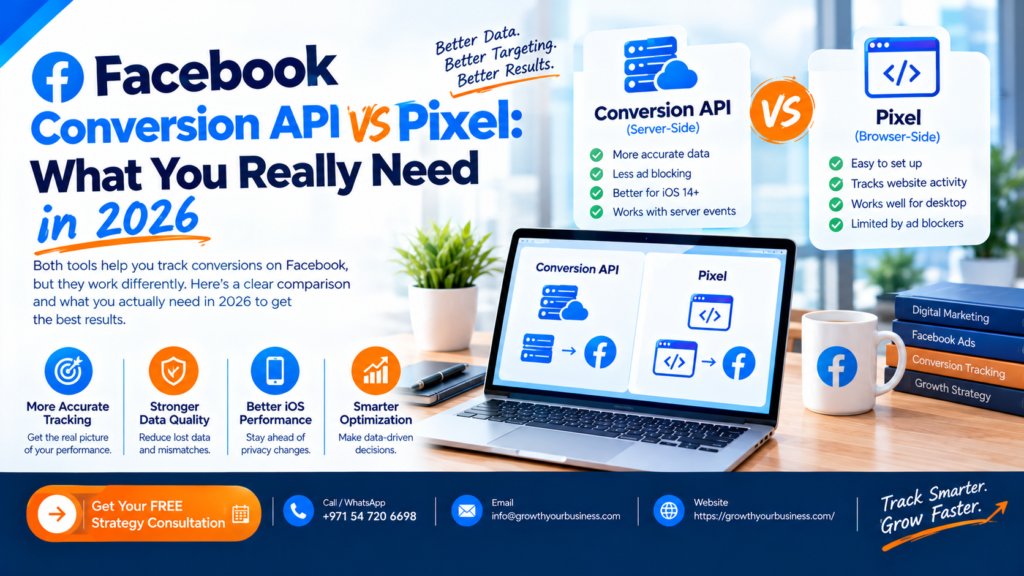
Facebook Conversion API vs Pixel: What You Really Need in 2026
Facebook Conversion API vs Pixel: the Meta Pixel tracks conversions from the visitor’s browser, and the Conversions API (CAPI) sends them directly from your server to Meta. The Pixel alone now misses conversions because of ad blockers, browser tracking limits and iOS privacy rules. For most advertisers in 2026, the best setup is both together, with deduplication so each conversion is counted once.
Updated October 2026 by the Growth Your Business team. We set up tracking and manage Meta Ads and Google Ads campaigns for service businesses and e-commerce brands.
What Is the Meta (Facebook) Pixel?
The Meta Pixel is a snippet of code on your website. When someone views a page, adds to cart, submits a form or buys, the Pixel fires in their browser and reports that event to Meta.
It’s quick to install and gives Meta the data it needs to optimise your ads and build audiences. Its weakness is that everything depends on the visitor’s browser cooperating.
What Is the Facebook Conversions API?
The Conversions API sends events from your server (or a tracking platform) straight to Meta, without relying on the browser. Because the data doesn’t pass through the visitor’s device, it isn’t affected by ad blockers or most browser restrictions.
You can also send events the Pixel can’t see, such as a lead that becomes a paying customer in your CRM, or an offline sale.
Facebook Conversion API vs Pixel: Side-by-Side Comparison
| Meta Pixel | Conversions API | |
|---|---|---|
| Where it runs | Visitor’s browser | Your server or tracking platform |
| Affected by ad blockers | Yes | No |
| Affected by browser tracking limits | Yes | Largely no |
| Setup difficulty | Easy | Moderate to advanced |
| Can send CRM or offline events | No | Yes |
| Data control | Limited | You choose exactly what is sent |
| Cost | Free | Free (hosting or tools may cost extra) |
| Best used | As the base layer | Alongside the Pixel |
Why Is the Pixel Alone No Longer Enough?
Browser-based tracking has been losing accuracy for years:
- Ad blockers and privacy browsers can block the Pixel entirely.
- iOS privacy changes (App Tracking Transparency) limit what can be tracked from Apple devices.
- Browser restrictions shorten cookie lifespans and block third-party tracking.
- Slow pages or script errors can stop the Pixel firing before the visitor converts.
When conversions go unreported, Meta’s algorithm learns from incomplete data. Your cost per result can rise and your audiences get less accurate, even if your ads are actually working.
Do You Need the Pixel, the Conversions API, or Both?
Use both. Meta itself recommends running the Pixel and the Conversions API together, so that if one misses an event, the other can catch it.
| Your situation | What to do |
|---|---|
| Just starting, small budget | Install the Pixel first, then add CAPI as soon as you can |
| Running lead-gen ads for a service business | Pixel + CAPI, plus CRM events for qualified leads |
| E-commerce store | Pixel + CAPI through your platform’s integration (Shopify, WooCommerce and others offer these) |
| High spend or heavy iOS audience | Pixel + CAPI + server-side tracking |
| Pixel only, no plans to change | Expect under-reported conversions and weaker optimisation |
How Do Pixel and CAPI Work Together Without Double-Counting?
If both send the same purchase, Meta needs to know it’s one purchase, not two. This is called deduplication.
To make it work:
- Send the same event name from both the Pixel and CAPI (for example,
Purchase). - Send a matching event ID with each one.
- Meta then keeps one copy and discards the duplicate.
If deduplication is set up wrong, your reported conversions can be inflated or skewed, which is as damaging as missing data. Check Events Manager → Diagnostics after setup to confirm events are being deduplicated.
How Do You Set Up the Conversions API?
There are four common routes, from easiest to most advanced:
- Partner integration: Shopify, WooCommerce, WordPress plugins and many CRMs have built-in Meta CAPI connections.
- Conversions API Gateway: Meta’s hosted option that sends data without much custom code.
- Server-side Google Tag Manager: gives you full control and works well if you already use GTM. Our Google Tag Manager setup service covers the foundation.
- Direct API integration: custom development for complex setups.
Whichever route you choose, pass customer information parameters (such as hashed email and phone number, where you have consent) so Meta can match events to users. Better matching generally means better optimisation. You can monitor this using the Event Match Quality score in Events Manager.
If you’d rather not do this yourself, see our Meta Conversions API setup service.
Does the Conversions API Bypass Consent Rules?
No. This is a common myth. Under UK GDPR and PECR, you still need valid consent before collecting and sending personal data for advertising. The Conversions API changes how data is sent, not whether you’re allowed to send it. Make sure your cookie consent banner and privacy policy cover this, and check the ICO’s guidance.
How Do You Check Your Tracking Is Working?
- Events Manager → Test Events: confirm both browser and server events arrive.
- Diagnostics tab: look for deduplication warnings and missing parameters.
- Event Match Quality: aim to improve it over time by sending more matching parameters.
- Compare with GA4 and your CRM: if Meta reports far more or fewer leads than your real records, something is off. A GA4 setup gives you an independent source to compare against, and a Looker Studio dashboard can show both side by side.
Common Mistakes With Pixel and Conversions API
- Running CAPI without an event ID, causing duplicate conversions
- Sending different event names from the Pixel and the server
- Tracking page views only, not leads and purchases
- Ignoring Event Match Quality
- Assuming CAPI removes the need for cookie consent
- Never testing after setup
- Not feeding CRM data back, so Meta optimises for cheap leads instead of good ones
Frequently Asked Questions
What is the difference between the Facebook Pixel and the Conversions API?
The Pixel tracks events in the visitor’s browser. The Conversions API sends events from your server directly to Meta. The Pixel is easier to install, while CAPI is more reliable because browsers and ad blockers can’t interfere with it.
Do I need both the Pixel and the Conversions API?
For most advertisers, yes. Using both with proper deduplication gives Meta the most complete picture of your conversions.
Is the Conversions API replacing the Pixel?
No. Meta supports and recommends using them together. The Pixel remains useful for browser-side signals, while CAPI covers what the browser misses.
Does the Conversions API improve ad performance?
It can. More complete and accurate conversion data helps Meta optimise delivery and build better audiences. Results depend on your setup quality and the amount of data you send.
What is deduplication in Meta tracking?
Deduplication stops the same conversion being counted twice when both the Pixel and CAPI report it. It relies on matching event names and event IDs.
Is the Conversions API free?
Meta doesn’t charge for using it. You may pay for hosting, a tracking platform or developer time depending on how you set it up.
Does the Conversions API need cookie consent in the UK?
Yes. It doesn’t bypass UK GDPR or PECR. You need valid consent before sending personal data for advertising purposes.
How long does CAPI setup take?
A partner integration can take under an hour. A server-side GTM or custom setup can take several days, including testing.
Final Thoughts
The Facebook Conversion API vs Pixel question isn’t really “which one?” in 2026. The Pixel is your quick, easy base layer, and the Conversions API fills the gaps it can’t see. Together, with clean deduplication and good consent handling, they give Meta the data it needs to find you more customers for the same budget.
Not Sure Your Meta Tracking Is Accurate?
Growth Your Business sets up Pixel, Conversions API and server-side tracking so your Meta Ads optimise on real data. We also run the campaigns through our Meta Ads agency and PPC agency services.
Get Your Free Tracking Audit →
Prefer to talk? Book a free 30-minute consultation.